

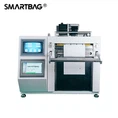
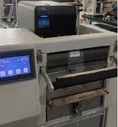
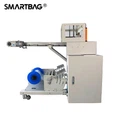
To operate Thermal Paper Label Machine correctly, please refer to the following steps:
Preparation
Check the equipment: Make sure that the appearance of the machine is not damaged and all parts are tightly connected. Open the cover of the machine to check whether there are any debris or loose parts inside.
Installation materials: Select the appropriate thermal label paper and carbon ribbon (if necessary) according to the machine model and install them correctly. When installing the label paper, put the paper roll smoothly into the paper roll bin so that the label paper passes smoothly under the print head, and adjust the position and tension of the label paper; when installing the carbon ribbon, pay attention to the installation direction and position of the carbon ribbon to ensure that the carbon ribbon is in good contact with the print head and the label paper.
Connect the power supply and equipment: Connect the machine to a stable power socket and turn on the power switch. If you need to connect to a computer or other device, use the corresponding connection cable, such as a USB cable, and install the driver or related software.
Print settings
Open the software: Open the label editing software or the setting interface in the driver that comes with the machine.
Edit label content: Enter or import the content to be printed in the software, such as text, barcode, QR code, pattern, etc., and set the font, font size, color, layout and other formats.
Set printing parameters: According to the type of label paper and printing requirements, adjust the parameters such as printing density, printing speed, label size, etc. Generally speaking, the printing density should not be too high or too low. Too high may cause the print head to overheat and the label paper to change color unevenly, while too low may make the printed content unclear; the printing speed should be adjusted appropriately according to the quality of the label paper and the performance of the printer to ensure the printing quality and stability.
Printing and subsequent processing
Send the print task: Click the "Print" button in the software to send the print task to the Thermal Paper Label Machine. During the printing process, pay attention to the conveying of the label paper and the printing quality. If there is any abnormality, stop printing and check in time.
Check the label quality: After printing, check whether the content on the label is clear, complete and accurate, and whether the barcode and QR code can be scanned normally. If there is a problem with the printing quality, it can be adjusted according to the specific situation, such as cleaning the print head and adjusting the printing parameters.
Arrangement and maintenance: After printing, turn off the power of the machine in time, clean the paper scraps and dust inside the printer, and keep the printer clean. At the same time, regularly maintain the printer, such as replacing the print head, cleaning the rollers and sensors, etc., to extend the service life of the printer.
For more information, please visit the following website: www.wxsmartbag.com
How to operate Thermal Paper Label Machine correctly
Jan 27, 2025 Leave a message
Send Inquiry